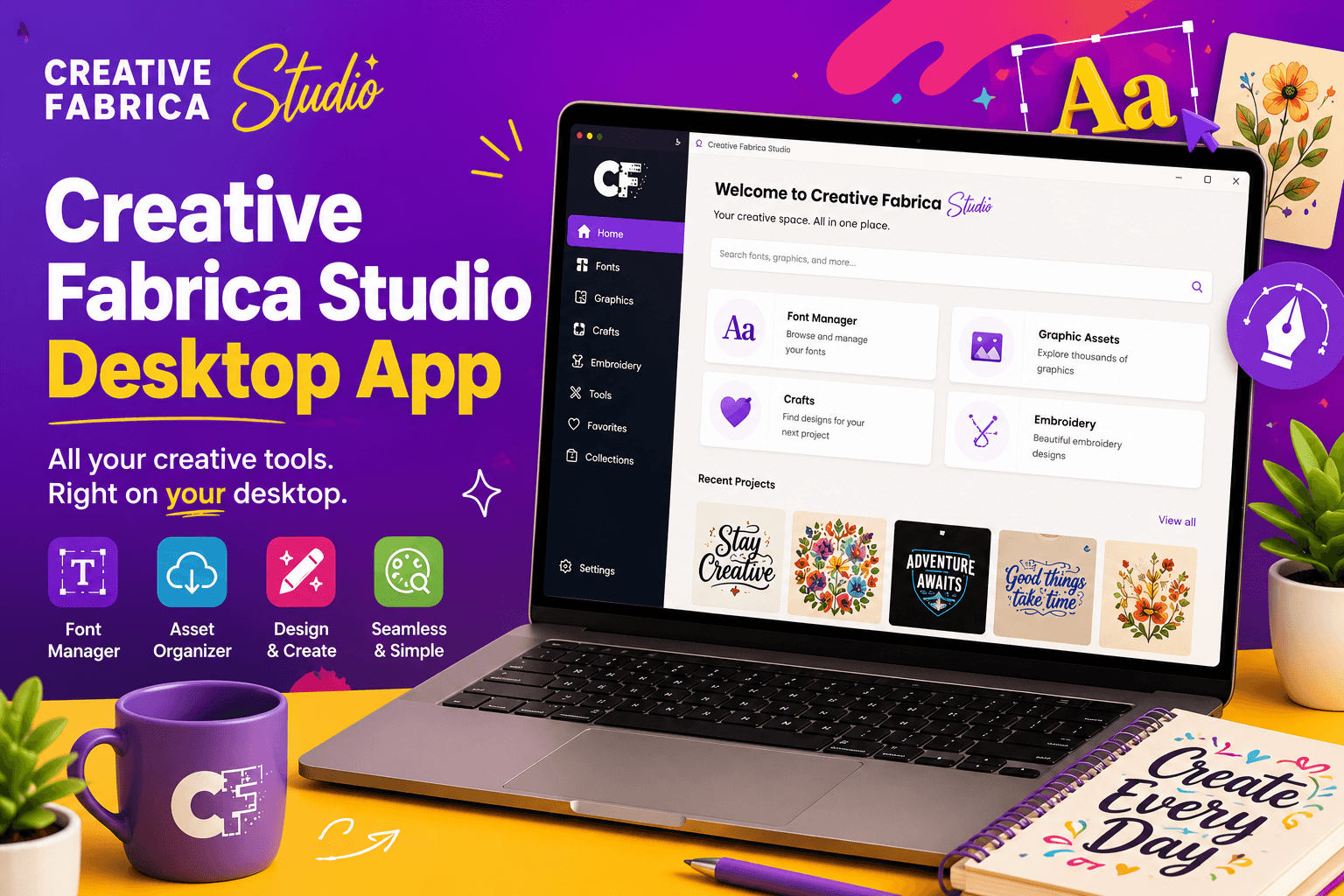
Creative Fabrica Studio Desktop Review: Free Local AI Tools for Windows and Mac Creators
Artificial intelligence has become an essential part of modern design workflows. Whether you’re creating Etsy listings, designing print-on-demand products, making Cricut projects, or preparing sublimation graphics, AI-powered tools can dramatically reduce the time spent on repetitive editing tasks.
However, many creators face the same challenges. Background remover websites often require paid subscriptions, image upload limits, or credit-based systems. Cloud-based AI tools can also slow down your workflow if you have hundreds of images to edit or if your internet connection isn’t always reliable.
That’s where Creative Fabrica Studio Desktop offers a different approach.
Creative Fabrica Studio Desktop is a desktop application available for both Windows and Mac that allows creators to use Creative Fabrica Studio alongside supported local AI tools running on their own computer. Instead of relying entirely on cloud processing, supported tools—such as background removal and image upscaling—can run locally once the required AI models have been installed.
In this review, we’ll explore what Creative Fabrica Studio Desktop is, why local AI matters, how it fits into creative workflows, who will benefit most from it, and its advantages and limitations.
Why Creators Need Local AI Tools
Creative professionals often work with dozens—or even hundreds—of images every week.
Some common tasks include:
- Removing image backgrounds
- Creating transparent PNG files
- Upscaling low-resolution artwork
- Preparing product photos
- Cleaning graphics before printing
- Editing images for Etsy listings
- Improving print-on-demand designs
Traditional online tools usually require you to:
- Upload every image
- Wait for cloud processing
- Spend editing credits
- Pay monthly subscriptions
- Repeat the process for every project
While cloud AI tools are useful, they aren’t always the most convenient option for creators who process many images every day.
Local AI tools offer an alternative by performing supported tasks directly on your own computer after the required models are installed.
This can make creative workflows more efficient while giving users greater control over their files.
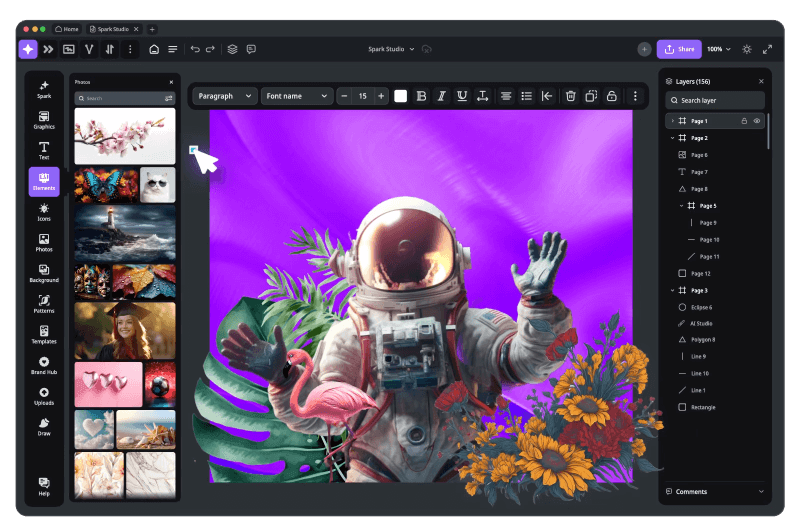
What Is Creative Fabrica Studio Desktop?
Creative Fabrica Studio Desktop is a Windows and Mac application that combines the familiar Creative Fabrica Studio design environment with supported local AI tools.
Instead of opening multiple browser tabs or switching between different software applications, creators can work within the Studio ecosystem while using supported AI utilities installed on their computer.
Examples of supported local AI tools include:
- AI Background Remover
- AI Image Upscaler
- Additional creative utilities (depending on available tools)
After the required AI model has been installed, supported tools can run on your computer rather than relying solely on cloud processing.
This creates a more streamlined workflow for designers, crafters, and digital creators.
How to Install Creative Fabrica Studio Desktop App
Creative Fabrica Studio Desktop is a simple design application that lets you create graphics, edit images, and use AI-powered creative tools directly on your Windows or Mac computer.
Step 1: Visit the Creative Fabrica Website
Open your web browser and go to the Creative Fabrica website. Sign in to your account or create a new account if you don’t already have one. You need an account before downloading the desktop application.
Step 2: Download the Desktop App
Go to the Studio Desktop download page and choose the version for your operating system:
- Windows
- macOS
Click the Download button and wait for the installer to finish downloading.
Step 3: Run the Installer
Locate the downloaded installation file in your Downloads folder. Double-click the file to start the installation process.
Step 4: Follow the Installation Wizard
Read and accept the license agreement, then click Install. Wait a few minutes while the application is installed on your computer.
Step 5: Launch the App
When the installation is complete, click Finish. Open Creative Fabrica Studio Desktop from your desktop or Start Menu (Windows) or the Applications folder (Mac).
Step 6: Sign In
Log in with your Creative Fabrica account. After signing in, you can start creating designs, editing images, and using the Studio’s AI tools.
Why Local AI Matters
1. Greater Control Over Your Images
Many people hear the phrase “local AI” but aren’t sure what practical benefits it provides.
Here’s why it matters
Some creators prefer not to upload every project to online services.
Using supported local tools means image processing can happen on your own computer after installation.
This can be especially valuable when working with client projects or private product photos.
2. No Credit System for Supported Local Tools
Many online AI services charge users based on image credits.
Supported local AI tools eliminate the need for credit-based processing for those features.
This is especially helpful if you edit images frequently.
3. Better for High-Volume Workflows
Imagine preparing:
- 150 Etsy product images
- 200 printable files
- 300 print-on-demand graphics
Opening browser tabs for every file quickly becomes inefficient.
A desktop workflow helps reduce unnecessary interruptions.
4. Helpful When Internet Speed Is Slow
Cloud services depend heavily on internet speed.
Local processing can be beneficial once supported AI models have been installed.
5. Everything Stays Within Your Creative Workflow
Instead of using one tool for editing and another for designing, Creative Fabrica Studio Desktop keeps supported AI features closer to your overall creative process.
That means less switching between applications and a smoother workflow.
Hands-On Workflow Example: Creating an Etsy Product Photo
One practical example is preparing a product photo for an Etsy listing.
Imagine you’ve photographed a handmade mug against a plain table background.
The image looks good, but the background isn’t suitable for your online store.
Here’s a typical workflow using Creative Fabrica Studio Desktop.
Step 1: Import Your Product Image
Open Creative Fabrica Studio Desktop and import your original photograph.
Step 2: Use the Background Removal Tool
Select the supported Background Remover tool.
Once the required model has been installed, the supported local AI tool can process the image directly on your computer.
Within moments, the unwanted background is removed.
Step 3: Export a Transparent PNG
Save the image as a transparent PNG.
This makes it much easier to:
- Create product listings
- Design promotional graphics
- Place products on mockups
- Combine images with marketing materials
Step 4: Upscale the Image
If the original image isn’t large enough for print or marketing materials, use the Image Upscaler.
The supported local AI tool can increase image resolution while preserving quality.
This can be especially useful when preparing:
- Posters
- Flyers
- Large product images
- Print-on-demand graphics
Creative Uses for Different Types of Creators
Creative Fabrica Studio Desktop isn’t designed for just one type of user.
Here are some examples.
Etsy Sellers
Etsy shop owners frequently need:
- White-background product photos
- Transparent product images
- Listing graphics
- Marketing banners
The background remover can simplify these repetitive tasks.
Print-on-Demand Sellers
POD creators regularly prepare artwork for:
- T-shirts
- Hoodies
- Tote bags
- Mugs
- Stickers
- Posters
Image upscaling can help improve design quality before uploading products.
Cricut Users
Cricut creators often require transparent PNG files.
Background removal makes it easier to prepare images for cutting machines.
Sublimation Designers
Sublimation printing depends heavily on high-quality graphics.
Using image upscaling before printing may help improve the final design.
Teachers
Teachers creating printable worksheets, classroom decorations, or educational resources can clean images quickly before inserting them into learning materials.
Digital Product Sellers
Whether selling planners, templates, journals, or clipart, creators often need polished graphics.
Creative Fabrica Studio Desktop helps simplify preparation work before publishing digital products.
Small Business Owners
Businesses creating social media graphics, product photos, promotional materials, or marketing images may appreciate having AI editing tools integrated into one workflow.
Benefits of Creative Fabrica Studio Desktop
After reviewing its approach, several advantages stand out.
Free Supported Local AI Tools
Supported local AI features can be used after installing the required models.
This reduces dependence on credit-based editing systems.
Available for Windows and Mac
The desktop application supports both major operating systems, making it accessible to a wide range of creators.
Built Into Creative Fabrica Studio
Instead of switching between multiple editing websites, creators can work within one ecosystem.
Saves Time
Tasks like:
- Removing backgrounds
- Upscaling images
- Preparing transparent PNG files
can become much faster than manually editing images.
Ideal for Creative Businesses
People running Etsy shops or print-on-demand businesses often edit many images every week.
Creative Fabrica Studio Desktop helps simplify repetitive editing tasks.
Limitations to Consider
No software is perfect, and it’s important to understand a few limitations.
Performance Depends on Your Computer
Local AI processing relies on your computer’s hardware.
Newer systems generally perform better.
Initial Model Downloads
Supported local AI models may need to be downloaded before using certain tools for the first time.
Older Computers May Be Slower
While the software works on supported systems, processing speed may vary depending on your hardware.
Who Should Use Creative Fabrica Studio Desktop?
This application is especially useful for:
- Etsy sellers
- Print-on-demand businesses
- Cricut users
- Sublimation creators
- KDP publishers
- Graphic designers
- Digital product sellers
- Teachers creating printables
- Small business owners
- Content creators
- Crafters
- Freelance designers
If you regularly prepare images for online selling or creative projects, Creative Fabrica Studio Desktop can help simplify repetitive editing tasks.
Final Thoughts
Creative Fabrica Studio Desktop introduces a practical way to combine creative design with supported free desktop AI tools for creators.
Instead of depending entirely on cloud-based image editors, creators can use supported features such as background removal and image upscaling directly on their computer after installing the required AI models.
For creators who regularly prepare Etsy listings, print-on-demand artwork, Cricut files, sublimation graphics, or marketing materials, having these tools integrated into the Creative Fabrica Studio workflow can save valuable time.
Although performance depends on your computer and some features may still require internet access or a Creative Fabrica account, the overall experience offers an efficient alternative for creators looking to streamline image editing.
If your workflow involves frequent background removal, transparent PNG creation, or image enhancement, Creative Fabrica Studio Desktop is worth exploring.
Frequently Asked Questions (FAQ)
Is Creative Fabrica Studio Desktop free?
Creative Fabrica Studio Desktop provides access to supported local AI tools within the desktop application. Check the official Creative Fabrica website for the latest information about availability and account requirements.
Does the background remover run locally?
Supported local tools, such as background removal, can run on your computer after the required AI model has been installed.
Does Creative Fabrica Studio Desktop work on Windows?
Yes. Creative Fabrica Studio Desktop is available for Windows.
Does it work on Mac?
Yes. The application is also available for macOS.
Can I use it for Etsy product photos?
Yes. Many Etsy sellers can use the background remover to create cleaner product images and transparent PNG files.
Can I use it for print-on-demand designs?
Yes. The image upscaler and background remover can be useful when preparing artwork for print-on-demand products.
Can I create transparent PNG files for Cricut?
Yes. Background removal can help prepare transparent PNG files suitable for Cricut design workflows.
Is Creative Fabrica Studio Desktop an alternative to cloud background removers?
For supported local AI tools, it provides an alternative workflow that allows processing on your own computer after the required models have been installed.
Do I need an internet connection?
Some supported local AI tools can run on your computer after installation. However, certain features or workflows may still require an internet connection or a Creative Fabrica account.
Are my images uploaded?
Supported local AI tools process images on your computer. Depending on the specific workflow or feature being used, other parts of Creative Fabrica Studio may still involve online services.