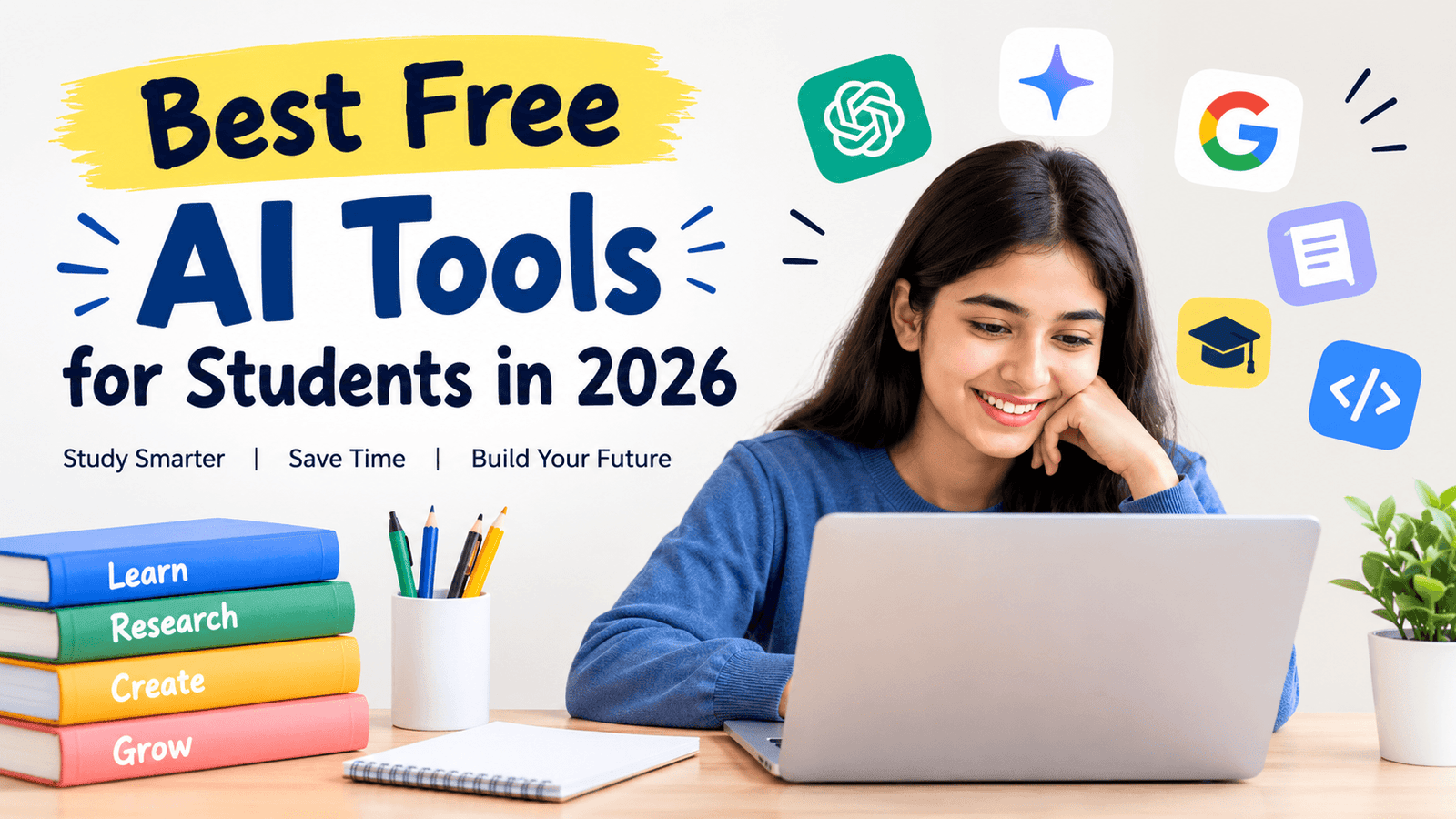
Best Free AI Tools for Students in 2026: Study Smarter, Write Better, and Save Time
Artificial intelligence has quickly become one of the most useful technologies for students. From explaining difficult lessons and summarizing lengthy notes to helping with research, presentations, coding, writing, and exam preparation, AI tools can make everyday student tasks easier and more organized.
The good news is that students do not always need an expensive AI subscription. In 2026, several popular AI platforms offer free tiers or free educational features that can be useful for studying and academic projects.
However, choosing the right tool can be difficult. Some AI tools are excellent for research, while others are better for writing, mathematics, coding, presentations, or revision.
In this guide, we will look at the best free AI tools for students in 2026, what each tool can do, how students can use it effectively, and what limitations they should consider.
Quick List: Best Free AI Tools for Students in 2026
Here are some of the most useful AI tools students can explore:
- ChatGPT – General studying, explanations, brainstorming, writing, and exam preparation
- Gemini – Research, explanations, writing, and Google ecosystem tasks
- Gemini Notebook – Studying from notes, PDFs, and other uploaded learning materials
- Perplexity – Research and finding information with cited sources
- Claude – Writing, document analysis, brainstorming, and explanations
- Grammarly – Grammar, spelling, clarity, and writing improvement
- Canva AI – Presentations, posters, graphics, and visual projects
- GitHub Copilot – Coding assistance and programming projects
- Quizlet – Flashcards, revision, and practice
- Wolfram|Alpha – Mathematics, science, and computational problems
Let’s look at each tool in more detail.
1. ChatGPT – Best All-Purpose AI Tool for Students
ChatGPT is one of the most versatile AI tools students can use. It can help explain complicated concepts, brainstorm ideas, summarize information, generate practice questions, review writing, and provide step-by-step guidance.
One particularly useful feature for students is Study Mode. OpenAI describes Study Mode as a learning experience designed to guide students through concepts instead of simply providing an answer. It can ask questions, break difficult subjects into smaller sections, create practice questions, and help students check their understanding.
How students can use ChatGPT
Students can ask ChatGPT to:
- Explain difficult subjects in simple language
- Create study plans
- Generate practice questions
- Create flashcards
- Summarize class notes
- Explain mathematics step by step
- Brainstorm assignment ideas
- Review essays
- Prepare interview questions
- Practice presentations
- Explain programming concepts
- Convert complicated information into easy-to-understand notes
For example, instead of asking:
“Give me the answer to this question.”
a better learning prompt is:
“Explain how to solve this problem step by step and give me a similar question to practice.”
This approach encourages learning rather than simply copying an AI-generated answer.
2. Google Gemini – Useful for Research and Writing
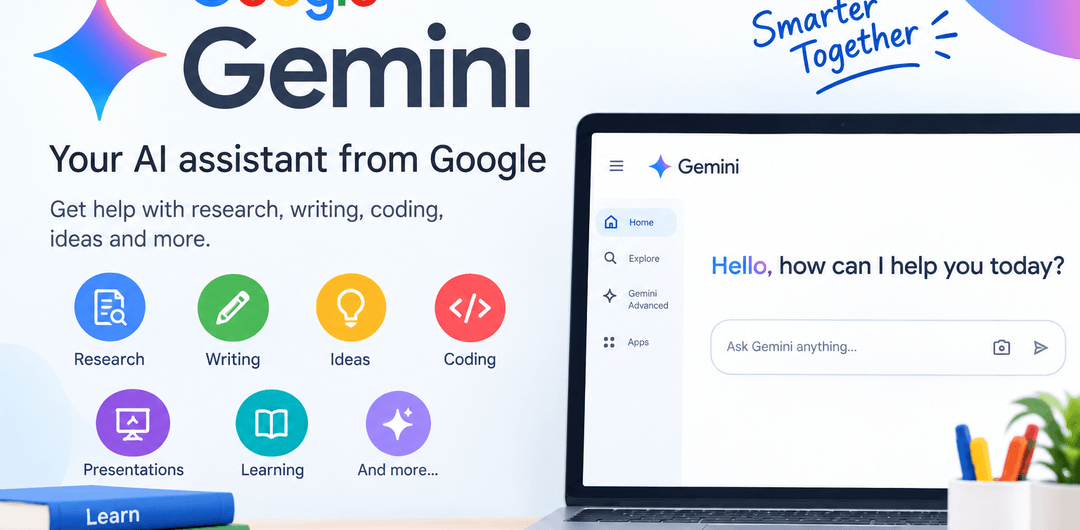
Google Gemini is another powerful AI assistant that students can use for studying, brainstorming, writing, and research.
It can help students understand concepts, organize ideas, summarize information, generate questions, and work with different types of content.
Students who already use Google’s ecosystem may find Gemini particularly convenient for workflows involving Google services.
Best uses for students
Gemini can help with:
- Research brainstorming
- Essay outlines
- Concept explanations
- Study plans
- Summarizing information
- Generating quiz questions
- Writing improvement
- Brainstorming project ideas
- Understanding technical subjects
Students should still verify important academic facts against textbooks, academic papers, official websites, or their instructor’s materials.
3. Gemini Notebook – Turn Your Notes Into an AI Study Assistant
One of the most useful AI study tools in 2026 is Gemini Notebook, formerly known as NotebookLM.
Google describes Gemini Notebook as a free generative AI tool grounded in the information provided by the user. Students can upload course materials and use them to generate summaries, study guides, and quizzes, with inline citations.
This makes it especially useful when you want an AI assistant to work from your own study materials rather than relying only on general web knowledge.
What can you do with Gemini Notebook?
For example, you could upload:
- Lecture notes
- PDF textbooks or permitted excerpts
- Class slides
- Study guides
- Research documents
- Course materials
Then ask questions such as:
“Summarize Chapter 3 in simple language.”
Or:
“Create 20 multiple-choice questions from these notes.”
You can also ask:
“What are the most important concepts I should revise before an exam?”
This can turn a collection of notes into an interactive study resource.
4. Perplexity – AI Search and Research Assistant
Research is an important part of student life, particularly for assignments, presentations, projects, and dissertations.
Perplexity is designed around AI-powered search and can be useful when students want to explore a topic and identify sources.
Why students may find Perplexity useful
It can help with:
- Finding information about unfamiliar topics
- Researching current subjects
- Discovering potential sources
- Comparing different explanations
- Creating research starting points
- Quickly exploring a complicated question
However, students should not assume that every AI-generated citation is automatically correct.
Always open important sources and verify:
- Author
- Publication date
- Website or journal
- Original source
- Data
- Claims
- Context
For academic assignments, the original research paper, book, government publication, university source, or other authoritative source should generally take priority over an AI summary.
5. Claude – Helpful for Writing and Long Documents
Claude can be useful for students who need help understanding documents, organizing ideas, or improving writing.
Students can use an AI writing assistant to review a draft and identify areas that may need improvement.
Useful student applications
Claude can help students:
- Brainstorm essay topics
- Create outlines
- Improve clarity
- Explain complicated text
- Summarize documents
- Generate discussion questions
- Review drafts
- Organize research notes
A useful approach is to give the AI your own draft and ask:
“Identify unclear sections and explain how I could improve them without rewriting the entire assignment.”
6. Grammarly – Improve Your Academic Writing
That makes the tool more useful as a learning assistant rather than a replacement for your own work.
Good writing matters for essays, reports, applications, emails, assignments, and presentations.
Grammarly can help students identify common writing problems involving:
- Grammar
- Spelling
- Punctuation
- Sentence clarity
- Word choice
- Writing style
Students can use it after writing a first draft to identify mistakes.
A better student workflow
Instead of asking AI to write an entire essay, try this:
- Research the topic yourself.
- Create an outline.
- Write the first draft.
- Use Grammarly to identify language problems.
- Check the suggested changes.
- Rewrite sections in your own voice.
- Verify facts and references.
This helps students improve their writing skills instead of becoming completely dependent on AI.
7. Canva AI – Create Better Presentations and Visual Projects
Students increasingly need to create presentations, posters, infographics, social media graphics, project covers, and other visual materials.
Canva’s AI-powered features can help students brainstorm and create visual content more efficiently.
Students can use Canva for:
- PowerPoint-style presentations
- College project presentations
- Posters
- Infographics
- Study diagrams
- Educational graphics
- Project covers
- Social media designs
- Resume designs
For example, a student working on a presentation about climate change could use Canva to develop a visual presentation structure and then add verified statistics and references from reliable sources.
Remember that AI-generated visuals should complement your academic content rather than replace research.
8. GitHub Copilot – AI Assistance for Programming Students
Computer science and engineering students can use AI coding assistants to learn programming concepts and troubleshoot code.
GitHub Copilot can assist with programming tasks such as:
- Explaining code
- Suggesting code
- Finding potential bugs
- Creating examples
- Understanding programming concepts
- Generating repetitive code
- Learning unfamiliar APIs
For students, one of the most valuable uses is asking:
“Explain why this code is producing this error.”
rather than simply:
“Write my entire project.”
Understanding the solution is much more valuable than obtaining code that you cannot explain during a viva, interview, or examination.
Students should also check current eligibility and educational access requirements because student programs can change.
9. Quizlet – AI-Powered Revision and Flashcards
Revision becomes easier when students actively test themselves instead of repeatedly reading the same notes.
Quizlet is widely used for flashcards and study activities and can be useful for memorizing:
- Definitions
- Vocabulary
- Historical dates
- Scientific terms
- Formulas
- Key concepts
- Foreign-language words
Students can turn their study material into flashcards and use repeated practice to identify weak areas.
Example
Suppose you are studying biology.
Instead of simply reading a chapter five times, create questions such as:
Q: What is photosynthesis?
Q: Where does photosynthesis take place?
Q: What are the main stages of photosynthesis?
This turns passive reading into active recall.
10. Wolfram|Alpha – Useful for Mathematics and Science
Mathematics and science students often need computational assistance.
Wolfram|Alpha can be useful for exploring mathematical and scientific problems, calculations, equations, graphs, and related concepts.
The important thing is to use computational tools as a way to understand the solution, not simply copy the final result.
For example, after obtaining an answer, ask yourself:
- What formula was used?
- Why was that formula appropriate?
- What assumptions were made?
- Can I solve a similar problem without assistance?
This makes AI and computational tools much more valuable for learning.
Best Free AI Tools for Students: Comparison Table
| AI Tool | Best For | Useful Student Tasks |
|---|---|---|
| ChatGPT | General studying | Explanations, quizzes, study plans |
| Gemini | Research and productivity | Research, brainstorming, writing |
| Gemini Notebook | Notes and PDFs | Summaries, quizzes, study guides |
| Perplexity | Research | Finding information and sources |
| Claude | Writing and documents | Draft review, explanations |
| Grammarly | Writing | Grammar and clarity |
| Canva AI | Design | Presentations and graphics |
| GitHub Copilot | Coding | Programming assistance |
| Quizlet | Revision | Flashcards and practice |
| Wolfram|Alpha | Math and science | Calculations and problem solving |
How to Use AI Tools for Studying Without Cheating
AI can be extremely useful, but students should use it responsibly.
The biggest mistake is treating AI as a machine that completes every assignment.
Instead, use AI as a study partner.
1. Ask for explanations
Instead of requesting an answer, ask:
“Explain this concept like I am a beginner.”
2. Ask for practice questions
After studying a chapter, ask AI to generate questions without giving you the answers immediately.
3. Check your understanding
Try solving a problem yourself and then ask AI to identify where your reasoning went wrong.
4. Use your own notes
Tools such as Gemini Notebook can work directly with materials you provide, making them useful for studying from your actual course content.
5. Verify important information
AI systems can make mistakes. Always verify important facts, statistics, quotations, citations, formulas, and references.
6. Follow your school’s AI policy
Some schools, colleges, and universities have specific rules about AI-generated content.
Before submitting AI-assisted work, check your institution’s academic-integrity requirements.
Best AI Workflow for Students in 2026
You don’t necessarily need ten different AI tools.
A simple workflow can be much more effective.
Step 1: Understand
Use ChatGPT or Gemini to explain a difficult topic.
Step 2: Study Your Materials
Upload permitted class notes or study materials to Gemini Notebook and ask questions about them.
Step 3: Research
Use Perplexity or traditional academic databases to discover sources.
Step 4: Write
Create your own outline and draft.
Step 5: Improve
Use Grammarly or another writing assistant to identify grammar and clarity problems.
Step 6: Revise
Create flashcards and practice questions using Quizlet or your preferred study tool.
Step 7: Test Yourself
Ask an AI assistant to act as a tutor and quiz you without immediately revealing the answers.
This workflow makes AI part of the learning process instead of a shortcut around it.
Benefits of Free AI Tools for Students
There are several reasons students are adopting AI study tools.
Saves Time
AI can quickly summarize long material, generate practice questions, and help organize ideas.
Personalized Learning
Students can ask for explanations at different levels of difficulty.
For example:
“Explain this topic for a 10-year-old.”
Then:
“Now explain it at university level.”
24/7 Study Assistance
Unlike a traditional tutor, AI tools are available whenever students need help.
Better Revision
AI can transform notes into quizzes, flashcards, summaries, and practice exercises.
Writing Support
AI-powered writing tools can help students identify grammar and clarity problems.
Coding Assistance
Programming students can receive explanations of errors and unfamiliar concepts while working on projects.
Limitations of AI Tools for Students
Despite their advantages, AI tools are not perfect.
AI Can Make Mistakes
AI can generate incorrect information, outdated facts, or fabricated references.
Free Plans Can Have Limits
A tool advertised as “free” may impose limits on messages, file uploads, advanced models, or other features.
Privacy Matters
Students should avoid uploading sensitive personal information, confidential documents, passwords, or private institutional data.
AI Does Not Replace Teachers
A teacher understands the curriculum, classroom expectations, and student’s progress in a way a general-purpose AI system may not.
Academic Integrity Is Important
Submitting AI-generated work as your own can violate institutional rules.
The safest approach is to use AI to learn, practice, brainstorm, and improve, while following your institution’s policies.
Frequently Asked Questions About Free AI Tools for Students
What is the best free AI tool for students in 2026?
There isn’t one tool that is best for every student or every task. ChatGPT is useful for general studying and explanations, Gemini can help with research and productivity, Gemini Notebook is useful for working with personal study materials, and Perplexity can help with research.
The right choice depends on what you need to accomplish.
Are AI tools free for students?
Many AI tools offer free tiers, although the exact features and usage limits vary. Some education programs also provide additional benefits to eligible students.
Always check the provider’s current terms before assuming that a feature is permanently free.
Can students use ChatGPT for studying?
Yes. ChatGPT can be used for explanations, practice questions, study planning, revision, brainstorming, and other learning activities. Its Study Mode is specifically designed to guide students through concepts step by step.
Can AI tools write assignments for students?
AI tools can generate drafts and ideas, but students should check their institution’s rules before using generated content in submitted assignments.
More importantly, students should understand the material and be able to explain the work themselves.
Which AI tool is best for studying from PDFs?
A source-grounded tool such as Gemini Notebook can be particularly useful because it allows students to upload learning materials and ask questions based on those materials. Google says the tool is grounded in information supplied by the user and can produce study guides and quizzes with inline citations.
Can AI help students prepare for exams?
Yes. AI can create revision schedules, flashcards, practice questions, mock tests, explanations, and quizzes.
A strong approach is to ask AI to identify weak areas and then test yourself on those areas.
Final Thoughts
The best free AI tools for students in 2026 are not necessarily the tools that generate the longest answers. The most useful tools are the ones that help students understand concepts, organize information, practice skills, and become more independent learners.
For general study assistance, ChatGPT and Gemini can be useful starting points. For studying directly from your own notes and PDFs, Gemini Notebook offers a particularly useful workflow. For research, Perplexity can help students explore sources. Writing-focused tools such as Grammarly, design platforms such as Canva, coding assistants such as GitHub Copilot, and revision platforms such as Quizlet can complement the core study workflow.
The most effective strategy is not to let AI do everything for you. Instead, use AI to ask better questions, understand difficult topics, practice more often, organize your study materials, and improve your work.
Used responsibly, free AI tools can become powerful study companions in 2026—helping students save time while still developing the knowledge and skills they need for exams, college, and future careers.